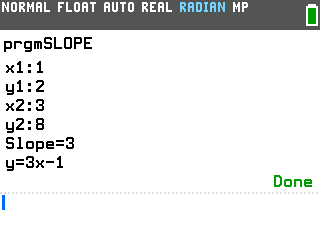
Type the coordinates of two points and this program gives you the slope of the line through them, along with its equation in y=mx+b form.
By CalcPlex.
Send it to your calculator
Nothing listed in the connect popup: the calculator has to be plugged in and switched on to appear. Wake it up, check the USB cable (charge-only cables won't work), or move to a different port. Close any other tab that's using the calculator.
Open it on the calculator
- Press the
prgmkey. The PROGRAMMING menu opens.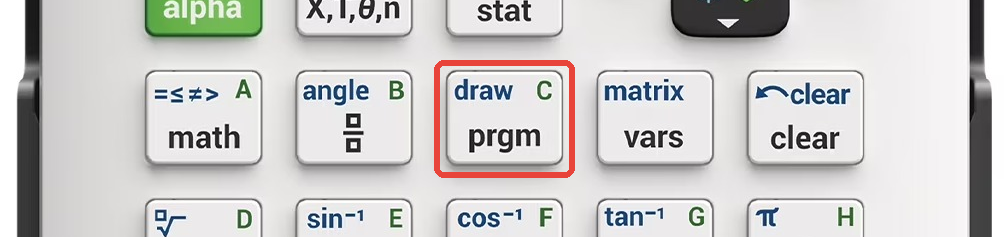
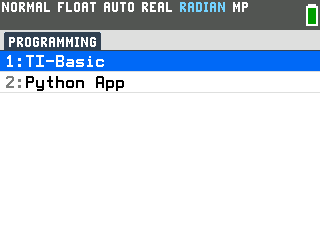
- Press
enterto select TI-Basic. The list of TI-Basic programs opens.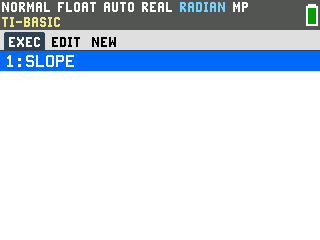
- Press
enteron SLOPE in the program list, which puts prgmSLOPE on the home screen. - Press
enterto run it. The program asks for four numbers one at a time: the x and y of your first point, then the x and y of your second point.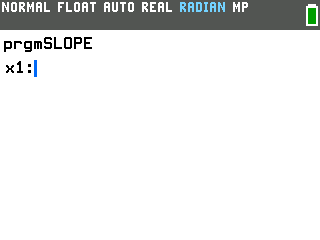
Find the slope and the equation
- Type each coordinate and press
enterafter it. For the points (1, 2) and (3, 8), the moment you enter the last number it answers Slope=3 and y=3x-1.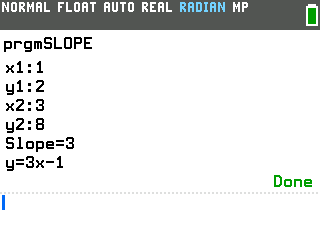
Good to know
- It's the slope formula, worked out for you. The program computes (y₂ − y₁) / (x₂ − x₁) for the slope, then works back to the y-intercept so it can write the whole equation. If you want the straight-line distance between the same two points instead, the Distance Formula program takes the same four coordinates.
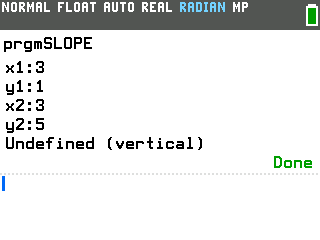
- Vertical lines get caught. When both x-coordinates match there is no
slope to compute, so the program answers "Undefined (vertical)" instead of dropping you on
an error screen.
- The equation comes out tidy. A horizontal line gives y=3 rather than y=0x+3, and a line through the origin gives y=3x rather than y=3x+0.
- Answers that aren't whole come out as decimals. The points (1, 1) and (4, 3) give Slope=0.6666666667 and y=0.6666666667x+0.3333333333, not the exact thirds.
- Rerun it with one keypress. Pressing enter on the home screen repeats whatever you ran last, so right after a run a single enter starts a fresh set of prompts.