The TI-84 Evo has no built-in way to break a number into its prime factors, so this program does it for you.
By CalcPlex.
Send it to your calculator
Nothing listed in the connect popup: the calculator has to be plugged in and switched on to appear. Wake it up, check the USB cable (charge-only cables won't work), or move to a different port. Close any other tab that's using the calculator.
Open it on the calculator
- Press the
prgmkey. The PROGRAMMING menu opens.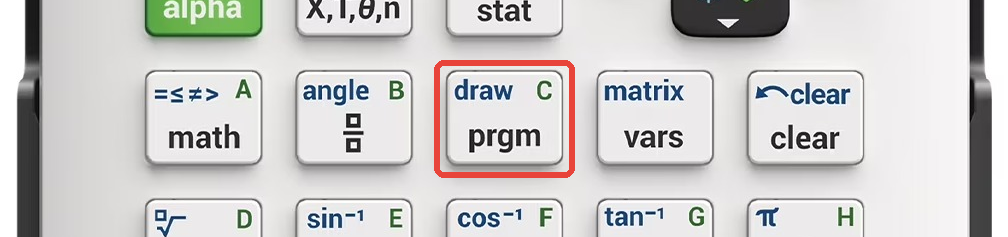
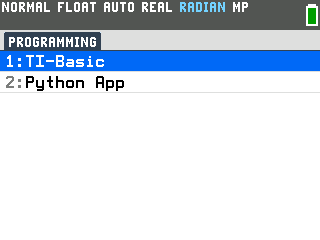
- Press
enterto select TI-Basic. The list of TI-Basic programs opens.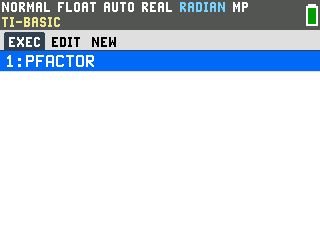
- Press
enteron PFACTOR in the program list, which puts prgmPFACTOR on the home screen. - Press
enterto run it. The program asks for a number.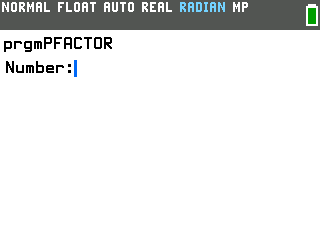
Factor a number
- Type the number you want to factor and press
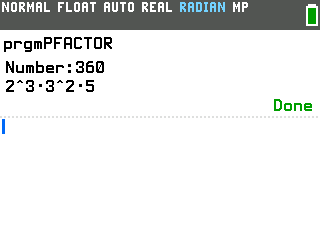
enter. Enter 360 and it answers 2^3·3^2·5.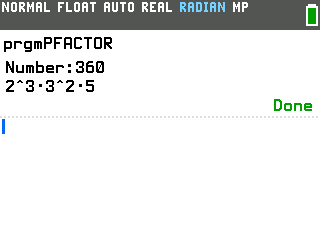
The dots between the numbers mean multiply and the carets mean powers, so that line reads 2 to the third, times 3 squared, times 5. Repeated primes are grouped that way to keep a long factorization on one line: 8 comes back as 2^3.
When the number is already prime
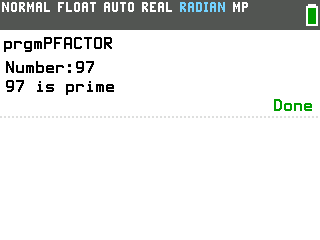
If the number has no smaller factors to pull out, the program says so instead of handing the number back to you. Type 97 and it answers 97 is prime.
Good to know
- Run it again with one keypress. Pressing enter on the home screen repeats whatever you ran last, so right after a run, a single enter brings the number prompt straight back.
- Prime factors are the start of simplifying a radical. Splitting the number under a square root into primes is how you simplify it by hand. If that is what you came for, the Radical Simplifier program goes straight there, turning √50 into 5√2.
- Greatest common factor and least common multiple are already built in. Press math, arrow right to the NUM tab, and you will find gcd( and lcm(, which take two numbers and answer directly. Typing gcd(360,84 gives 12, no factoring needed.
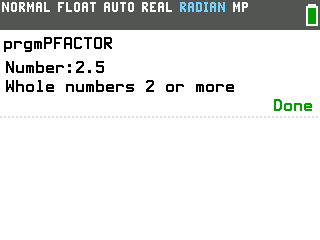
- It works on whole numbers of 2 or more. A decimal, or anything below 2, gets
a plain one-line note rather than an error screen. Type 2.5 and it answers "Whole numbers 2 or
more".