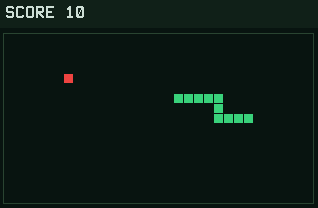
Snake on the TI-84 Evo plays exactly the way you remember it: eat apples, grow longer, and don't run into yourself.
Nothing listed in the connect popup: the calculator has to be plugged in and switched on to appear. Wake it up, check the USB cable (charge-only cables won't work), or move to a different port. Close any other tab that's using the calculator.
Have a TI-84 Plus CE? Get Snake for the CE.
By CalcPlex.
Controls
- Arrows steer. One tap sets a direction and the snake keeps going that way. You can't turn straight back on yourself.
- CLEAR goes back to the title screen. Press it again there to quit.
- On the title screen, left / right arrows pick the speed and ENTER starts.
- After a crash, ENTER plays again and CLEAR goes back to the title screen.
How it plays
One tap sets a direction and the snake keeps moving that way, so you're always planning the next turn instead of holding a key down.
Every fifth apple is gold and worth triple points. The longer you get, the more those detours cost you.
Pick your speed
The title screen has three speed modes:
- Slow is comfortable while you learn the board.
- Normal is the classic pace.
- Fast is for bragging rights.
Each mode keeps its own high score. When you crash, ENTER restarts instantly.