Older TI-84 models made you dig through menus to work with fractions. The TI-84 Evo finally fixed that: there's a fraction key right on the keyboard, fractions display stacked the way they're written on paper, and one extra key flips any answer between fraction and decimal form.
The fraction key
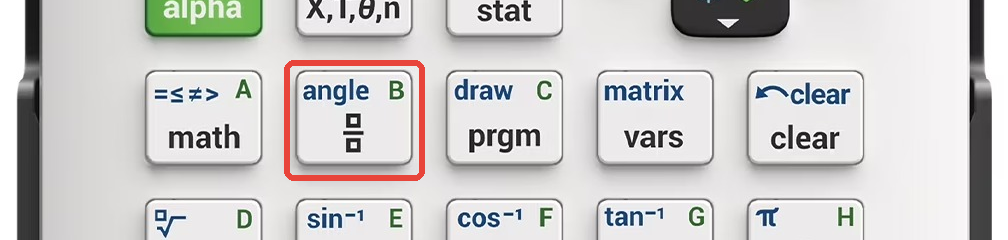
It sits right next to math, directly below X,T,θ,n. The key
has a small stacked-boxes symbol on it (with "angle" printed above):
Typing a fraction
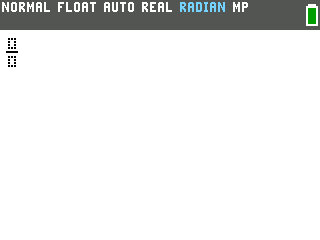
- Press the fraction key. An empty fraction template appears on the home
screen, with the cursor in the top box (the numerator).
- Type the numerator, then press the down arrow to jump to
the bottom box, and type the denominator. Typing
1, down,2gives you one half: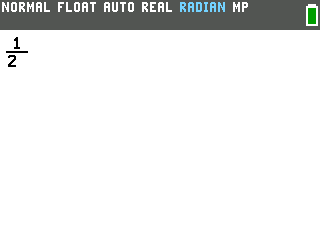
- Press the right arrow to leave the fraction and keep typing the rest of your expression. That last step matters: if you skip it, whatever you type next lands in the denominator.
Fraction math
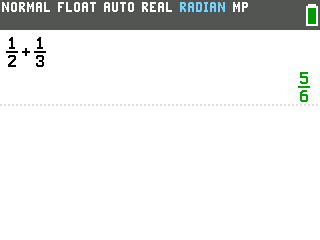
Fractions work anywhere a number does. Here's 1/2 + 1/3, typed with the fraction
key, the down arrow, and the right arrow between terms:
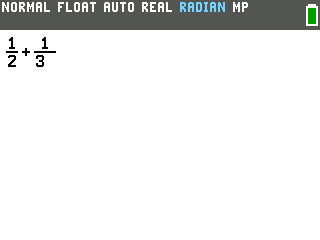
Press enter and the Evo gives the answer as a simplified fraction, not a messy
decimal:
Switching between fraction and decimal answers
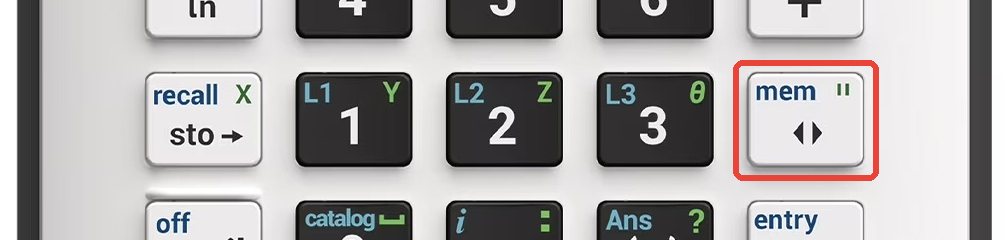
Next to the 3 key there's a key with two small arrows on it (and "mem" printed
above). That's the answer toggle:
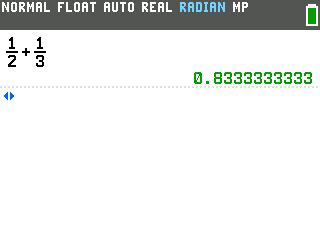
Press it after any calculation and the last answer flips to its other form. With
5/6 on screen, one press shows the decimal:
Press it again and you're back to 5/6.
Turning a decimal into a fraction
The same toggle key converts decimals you type yourself. Enter .25, press
enter, then press the toggle key:
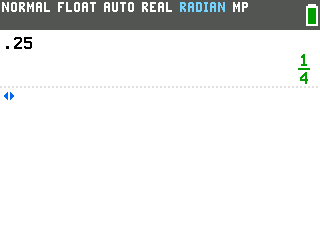
Handy when an answer needs to be a fraction but your work produced a decimal.
Good to know
- The toggle key only acts on your most recent answer. Run the calculation first, then flip it.
- Whole numbers don't toggle. If the answer is something like 4, pressing the key does nothing, since there's no other form to show.